22 Genius Small Gaming Room Ideas With Bed to Copy
A gaming setup you love should not leave you climbing over furniture to reach your bed.
Even a narrow bedroom can fit a comfortable sleep zone and a desk that feels truly yours.
These small gaming room ideas with bed layouts show how to make every corner count, whether you play on a PC or console. Explore loft beds, fold-down desks, bedside screens, hidden storage, and clever lighting that adds personality without swallowing floor space.
The trick is planning around what you actually use. A monitor arm helps only if your desk has room for your keyboard, and LED strips look better when cables stay out of sight. Measure your walkways, check ventilation around electronics, and choose one layout that fits your daily routine.
You do not need a bigger room to create a setup that feels organized, cozy, and ready for your next session
Loft Bed Gaming Station
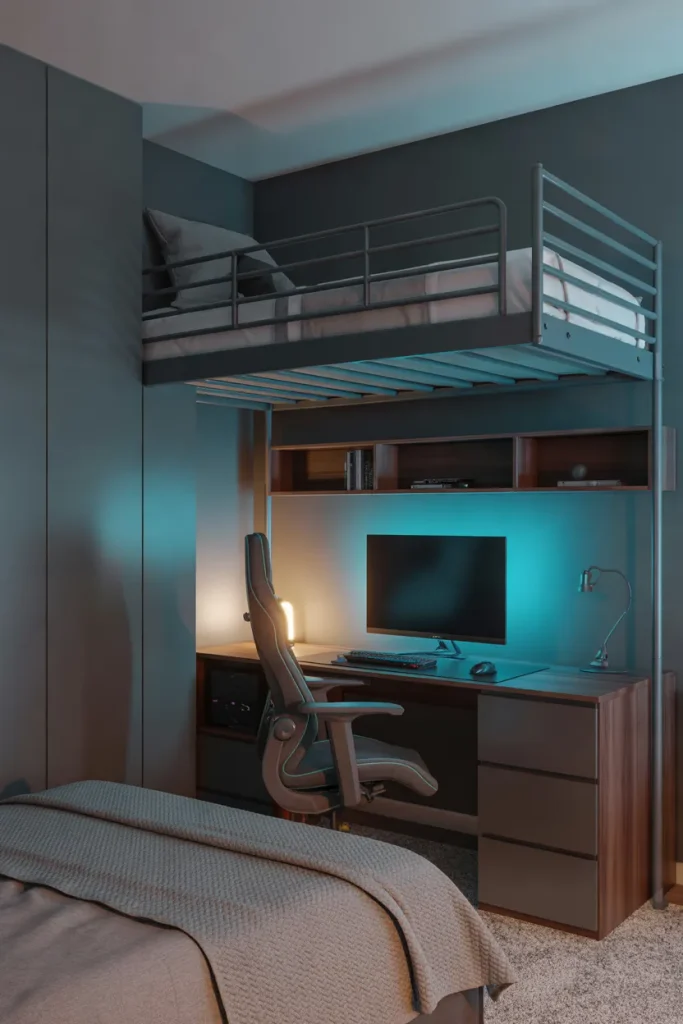
A loft bed can open up an entire gaming zone without claiming another inch of floor space. Of the many small gaming room ideas with bed, this layout makes especially good use of vertical space. Add a compact desk underneath and choose a chair that slides fully beneath it.
Measure the sitting headroom below the frame and the clearance above the mattress before ordering. Check the manufacturer’s weight limit, guardrails, and ladder placement, too. A monitor arm keeps the desktop clear, while warm task lighting balances the colored LEDs and makes the workstation comfortable after dark.
Read More: 20 Dreamy Bedroom Decor Ideas for Small Rooms to Inspire You
Corner Gaming Desk

- A forgotten bedroom corner can hold a surprisingly capable gaming setup. Measure both walls before buying an L-shaped or triangular desk.
- Choose a desk with a shallow return so the bed still has a clear walkway.
- Mount your monitor on an adjustable arm to reclaim space for a keyboard and mouse.
- Use an under-desk cable tray and adhesive clips to hide power cords.
- Keep the PC tower ventilated on a stable stand rather than wedging it against bedding.
Even a narrow corner can work beautifully when you protect the walkway beside the bed. Leave room to pull out your chair without hitting a dresser or closet door. A compact desk, raised screen, and tidy cables create a dedicated gaming spot that still feels like a restful bedroom.
Underbed Gear Storage
Quick Tip:
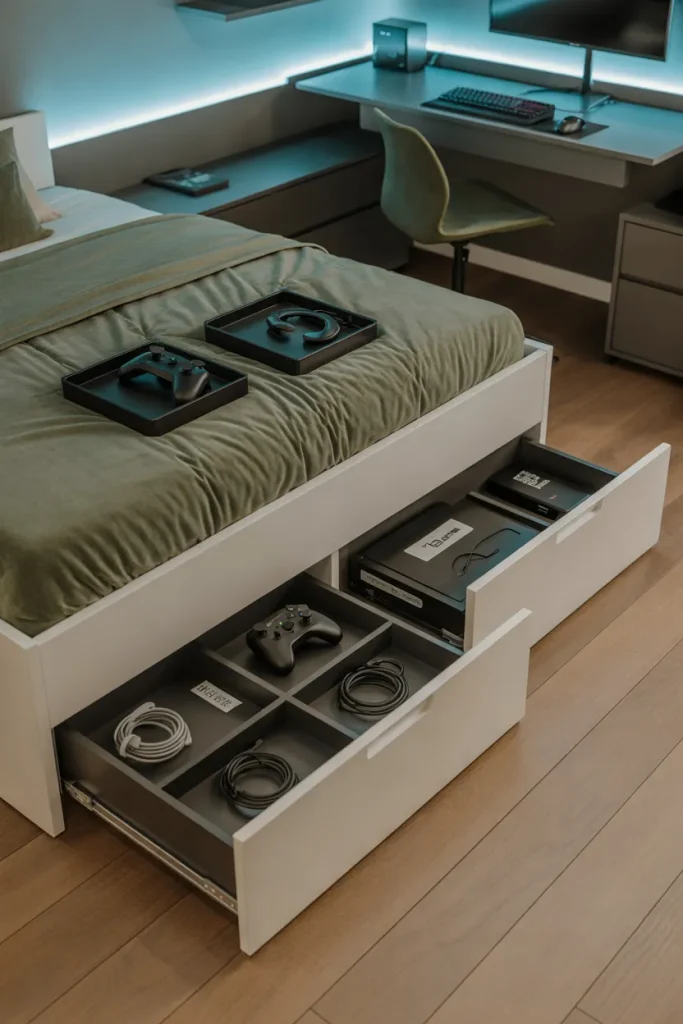
Tired of controllers and cables taking over your bed? Choose shallow, lidded storage bins or built-in drawers and label them by accessory type. Measure the clearance beneath your bed before purchasing containers.
Hidden storage keeps gaming accessories from spreading across the bed and desk. Put spare controllers, headsets, and charging cables in separate compartments so they are easy to find. Keep consoles and powered electronics out of closed drawers while running, since they need airflow to prevent overheating.
Explore More: 22 Smart Small Bedroom Storage Ideas for Couples That Actually Work
Fold Down Gaming Desk
BEFORE:
A desk can swallow half a tiny bedroom before you even sit down. A permanent tabletop blocks the walkway beside the bed, leaving little space for stretching out or opening drawers.
AFTER:
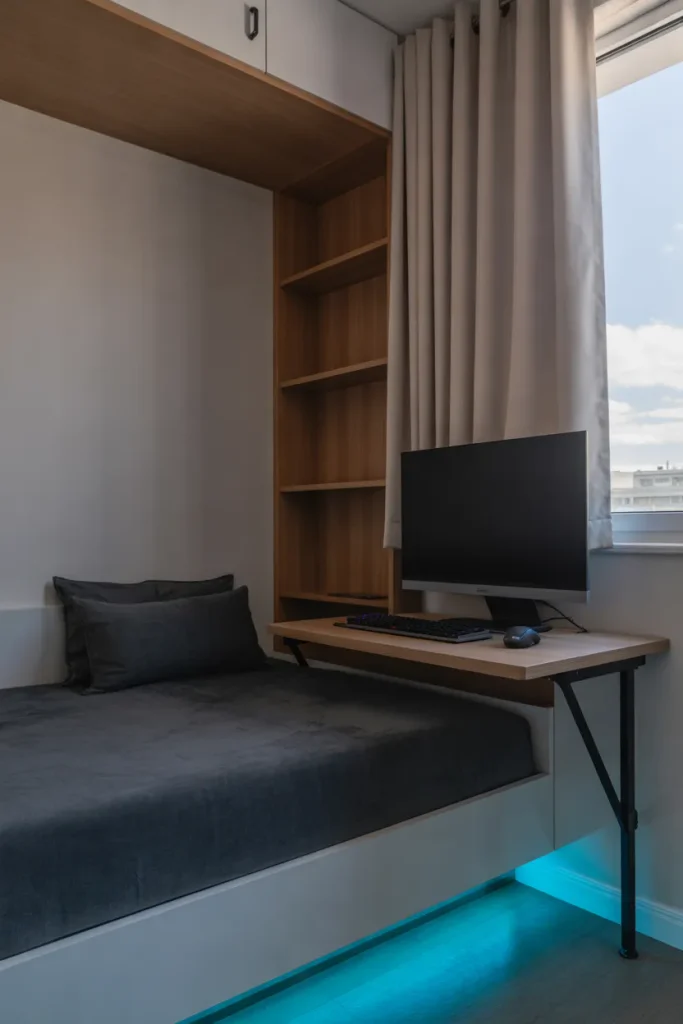
A fold-down desk provides a work surface for gaming and disappears when the session ends. The floor feels clearer, and a wall shelf holds lightweight accessories above the closed desk.
Choose a wall-mounted model rated for your equipment, and fasten it into studs or appropriate structural anchors. Check the desk’s depth so your keyboard and monitor fit comfortably when open. For heavier screens, consider a separate wall-mounted monitor arm installed according to its specifications. Keep cables away from folding hinges.
Bedside Console Setup
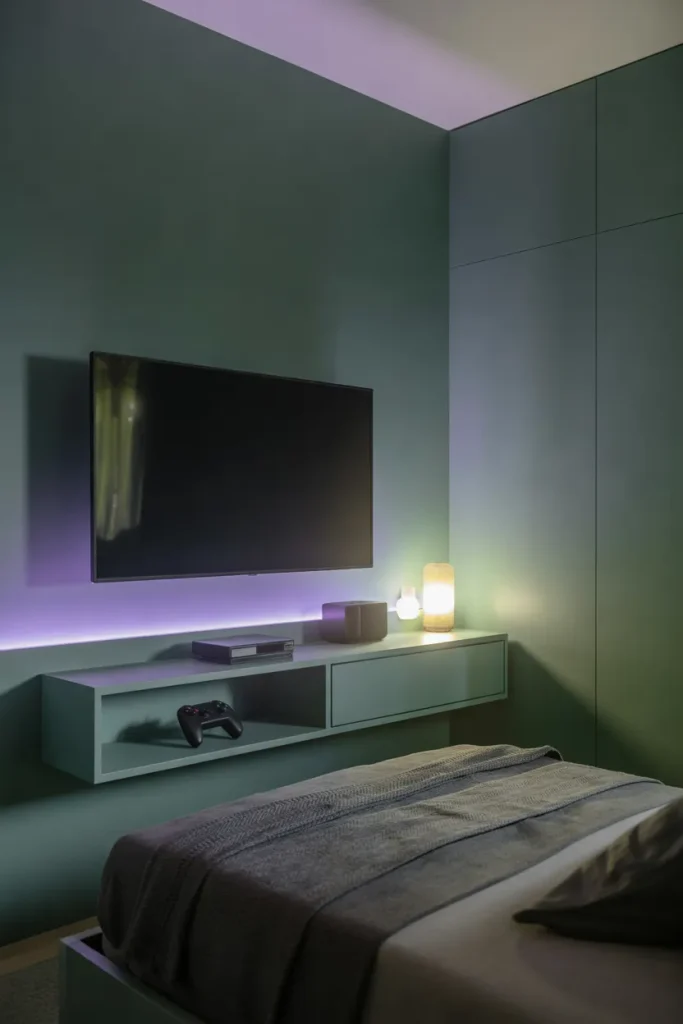
1. Position Your Screen: Gaming from bed can feel surprisingly organized with the screen in the right spot. Position a television on the wall facing your pillows, avoiding an awkward neck angle.
2. Secure the Television: Mount the TV securely according to the manufacturer’s instructions. Check for wall studs and suitable hardware before drilling.
3. Organize Your Console: Place the console on an open shelf with clear ventilation on every side. Route its cables through a wall-safe cable cover.
4. Create Comfortable Seating: Add a supportive backrest and keep a controller tray within reach. Set your bedside lamp to a soft glow for evening play.
Bedside gaming works best for relaxed console sessions, not hours spent hunched over a laptop. Sit upright with your back supported and take movement breaks between rounds. Keep charging cables clear of blankets and walkways. A tidy wall shelf helps your bedroom return to sleep mode afterward.
Daybed Gaming Lounge
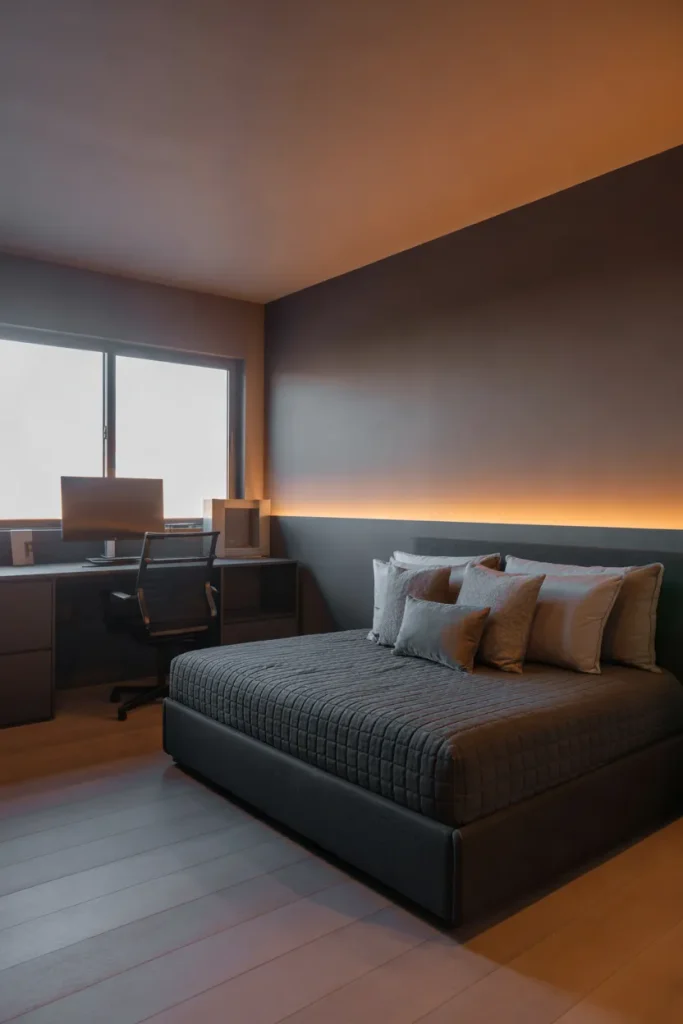
| Design Feature | Standard Twin Bed | Daybed Gaming Lounge |
|---|---|---|
| Seating | Requires rearranging pillows | Back panel supports daytime lounging |
| Floor Space | Separate chair may be needed | Combines seating and sleeping |
| Gaming Comfort | Limited structured back support | Cushions support upright sitting |
| Overall Style | Traditional bedroom appearance | Cozy sofa-inspired aesthetic |
| Best For | Sleeping-focused bedrooms | Multipurpose gaming bedrooms |
A daybed gives a tiny gaming bedroom a comfortable seating zone without squeezing in a separate couch. Place it along the longest wall, add supportive cushions, and face the screen toward the seat. Check the frame’s dimensions and keep one side open for easy access at bedtime.
Gaming Pegboard Wall
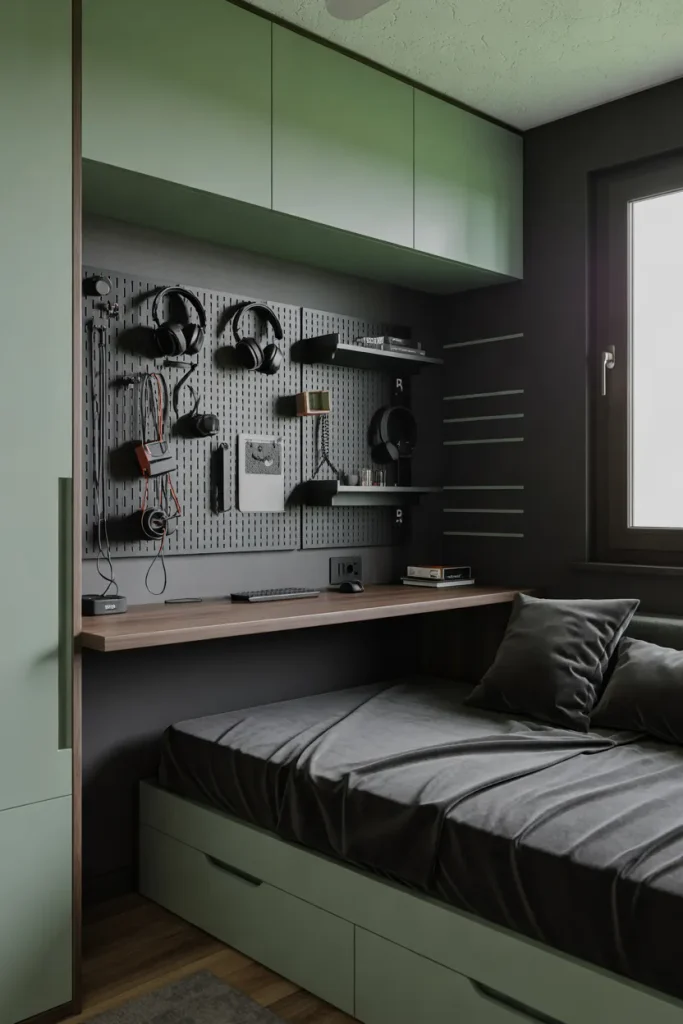
DO:
- A desk piled with controllers can look chaotic; mount a pegboard above it to reclaim space.
- Secure the board to studs or anchors rated for the loaded weight.
- Hang headphones, cables, and lightweight accessories on clearly separated hooks.
- Leave clearance between the pegboard and monitor for easy adjustments.
DON’T:
- Avoid hanging heavy consoles or speakers from an unrated board.
- Don’t route power cords tightly around hooks or sharp edges.
- Skip crowded arrangements that make accessories difficult to grab.
- Never install a board where it could fall onto your pillow.
Pegboards work especially well when your gaming desk stands beside the bed, because they use wall space instead of precious drawer space. Choose a finish that matches your desk or headboard for a coordinated look. Keep frequently used accessories at eye level and reserve the highest hooks for lightweight extras.
RGB Headboard Lighting
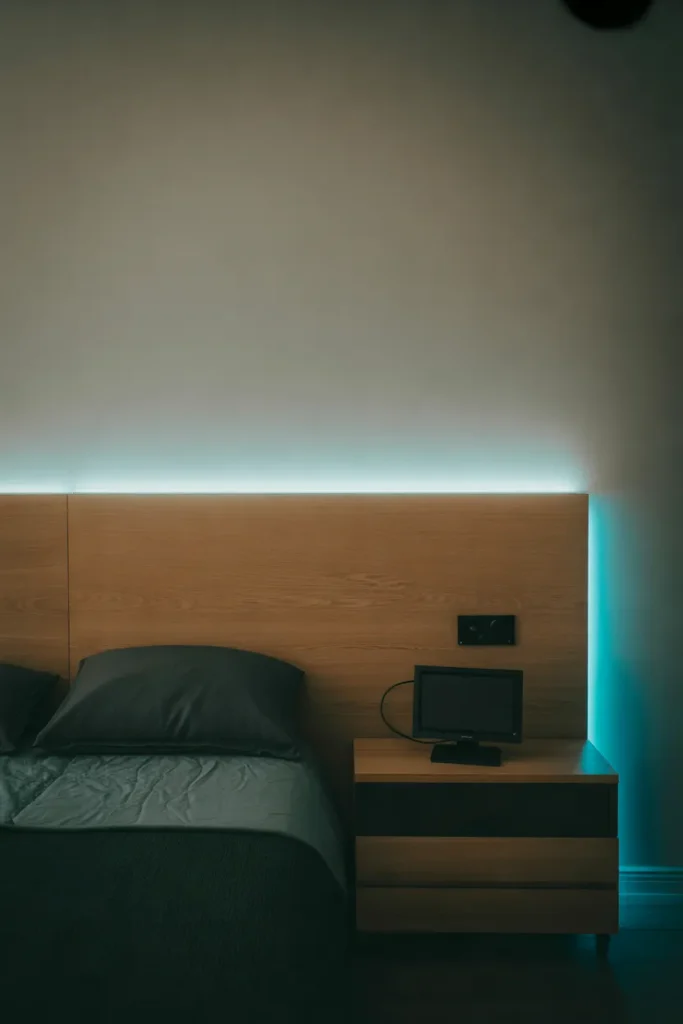
Best For: Beds with a simple headboard and a nearby outlet.
Cost: Low to moderate, depending on strip length and controller.
Time: About one hour after surface preparation.
Skill Level: Beginner, with basic cable management.
Want glowing game-room atmosphere without a bright strip in your eyes? Attach LED tape to the rear edge of a solid headboard, facing the wall for indirect light. Select a low-heat, certified kit, follow its installation directions, and keep cords out of bedding. Dim the lights before sleep.
Curtain Divided Gaming Zone
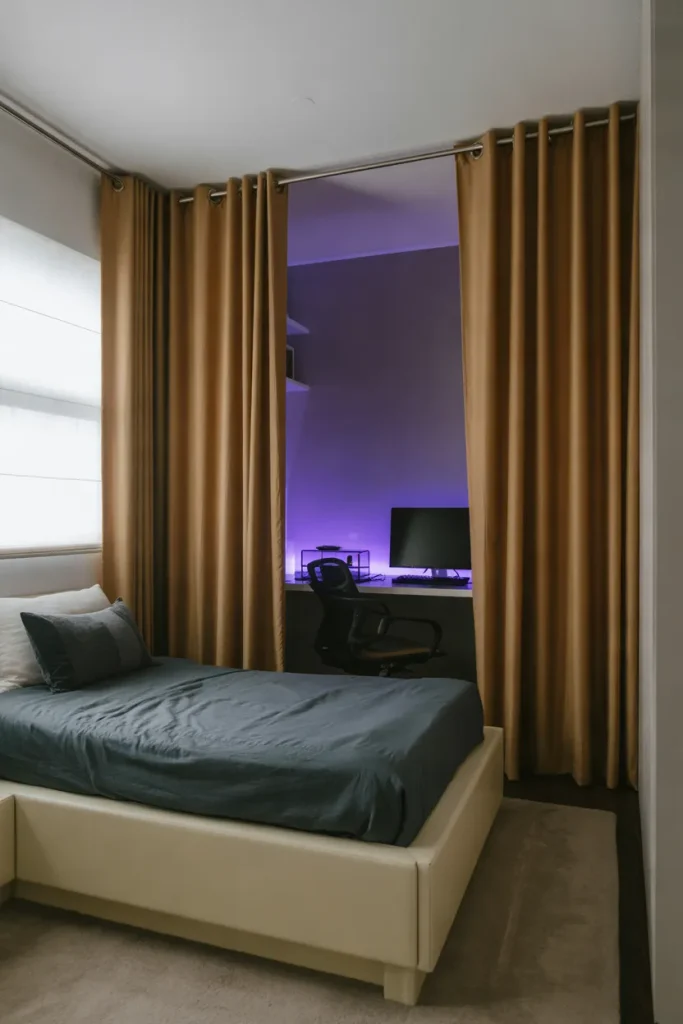
When your monitor lights up the entire bedroom, a fabric divider can give the sleep area a calmer identity. Hang ceiling-track curtains between the desk and bed, choosing washable cotton or linen in a warm neutral shade. Leave enough room to open the curtain fully during gaming sessions.
Measure the path of your chair and closet door before placing the track. Keep fabric well away from PC exhaust, heaters, and power strips so airflow remains clear. In a rental, use a stable freestanding screen if ceiling installation is not permitted. The separation feels intentional without permanent walls.
Murphy Bed Gaming Wall

- Need more gaming space during the day without giving up a comfortable bed? A Murphy bed folds against the wall to free up valuable floor space.
- Choose a wall bed that suits your ceiling height and follow the manufacturer’s installation requirements.
- Position your gaming desk away from the bed’s folding path, hinges, and support legs.
- Select a compact gaming chair that slides beneath the desk when the bed is lowered.
- Keep the area around the folding mechanism clear of cables, rugs, and loose accessories.
A wall bed helps a bedroom serve two purposes without squeezing furniture into every corner. Choose a model with a secure locking mechanism and professional installation where required. Keep your gaming desk outside the bed’s folding path, and measure that clearance carefully before ordering any equipment.
Floating Gaming Shelves
Quick Tip:
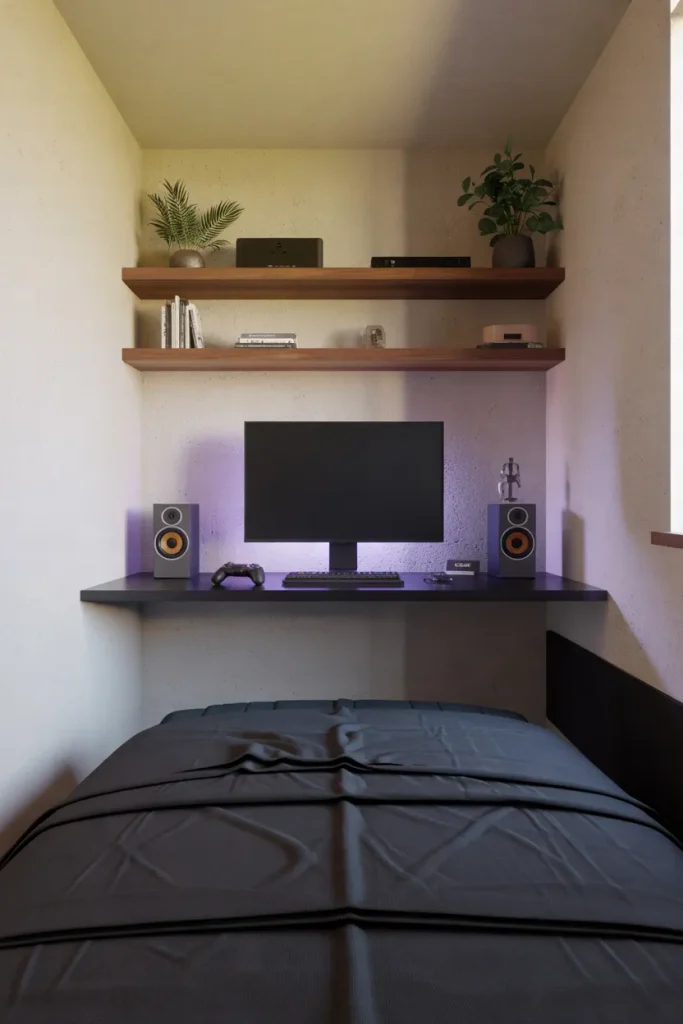
Running out of space for favorite gaming accessories? Place two shallow floating shelves above the desk instead of buying another cabinet. Check the weight rating and secure them to suitable wall supports before adding equipment.
Keep the lower shelf high enough for your monitor to tilt without touching it. Put lightweight decorations and controller stands above, while heavier consoles stay on ventilated furniture below. Matching shelf wood to the bed frame makes the whole room feel more organized, not simply packed with storage.
Two Tone Gaming Walls
BEFORE:
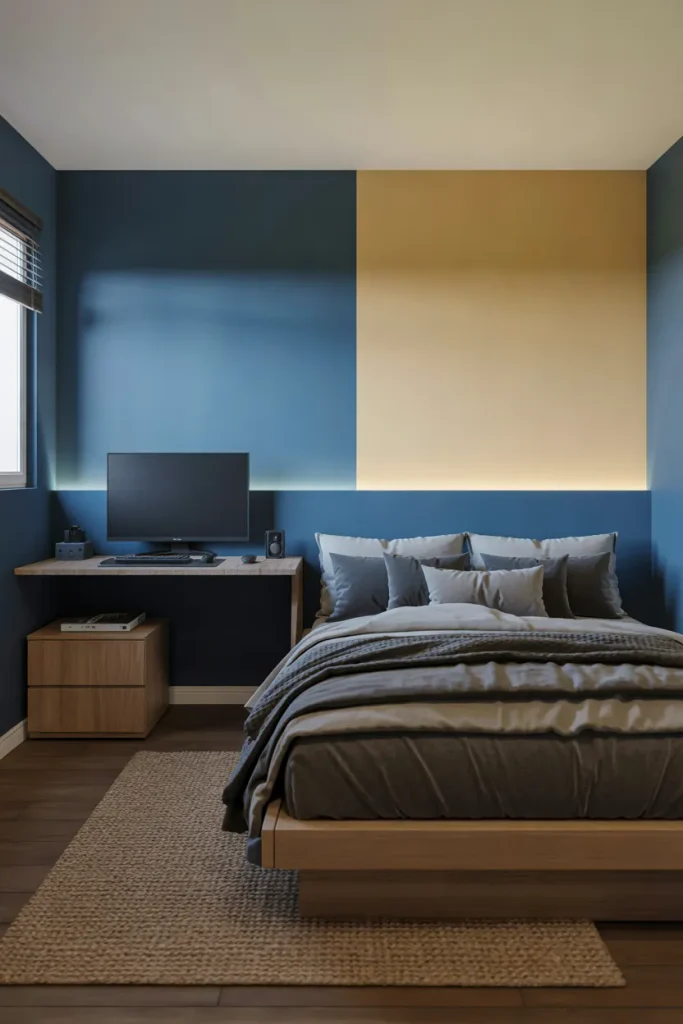
Two competing corners can make a small gaming bedroom feel visually restless. Bright LEDs and dark equipment spill into the sleeping side, while plain walls do nothing to separate the functions.
AFTER:
A deep blue paint block defines the desktop zone without enclosing the entire room. The remaining warm ivory walls keep the bed area lighter, so both spots feel deliberate rather than crowded.
Mark the color boundary with painter’s tape and keep the darker shade behind the gaming desk. A warm neutral near the bed reflects more daylight and feels gentler during rest. Repeat a small amount of blue in a cushion so the two zones still belong to the same room.
Rolling Gaming Cart

1. Choose a Compact Cart: Running out of desk space doesn’t mean you need another bulky cabinet. Select a narrow three-tier rolling cart that fits between your gaming desk and bed.
2. Organize Gaming Essentials: Place controllers and headphones on the upper shelf, charging accessories in the middle, and spare cables or games in labeled containers below.
3. Secure Loose Accessories: Use small baskets or dividers to prevent controllers and other equipment from sliding when you move the cart.
4. Position for Easy Access: Park the cart beside your desk during gaming sessions, then roll it into an unused corner afterward. Lock the wheels if your model includes brakes.
A rolling cart offers flexible storage without permanently filling valuable floor space. Choose one with sturdy wheels and raised shelf edges to keep accessories secure. Avoid placing powered consoles inside enclosed baskets, and unplug charging cables before moving the cart. This arrangement works particularly well in shared bedrooms.
Window Gaming Nook
| Design Feature | Desk Facing Window | Desk Beside Window |
|---|---|---|
| Monitor Glare | Strong daylight may reduce visibility | Easier to control screen reflections |
| Natural Lighting | Direct light across the desk | Soft light from the side |
| Screen Comfort | Bright background may strain visibility | More balanced screen brightness |
| Room Layout | Requires space below the window | Works along an adjacent wall |
| Overall Appearance | Bright and open | Cozy and organized |
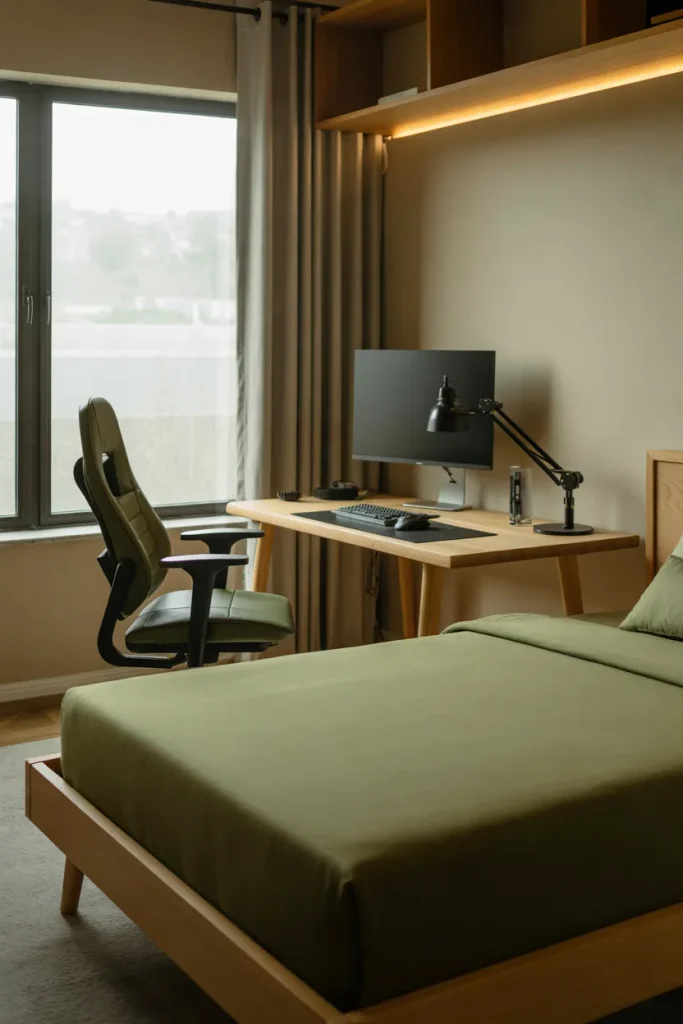
Natural daylight can make a compact gaming corner feel less enclosed, especially when the desk sits beside rather than directly in front of a window. Position the monitor perpendicular to incoming sunlight to reduce glare. Add adjustable curtains for afternoon sessions, and keep the desk clear of window handles.
Blackout Gaming Curtains
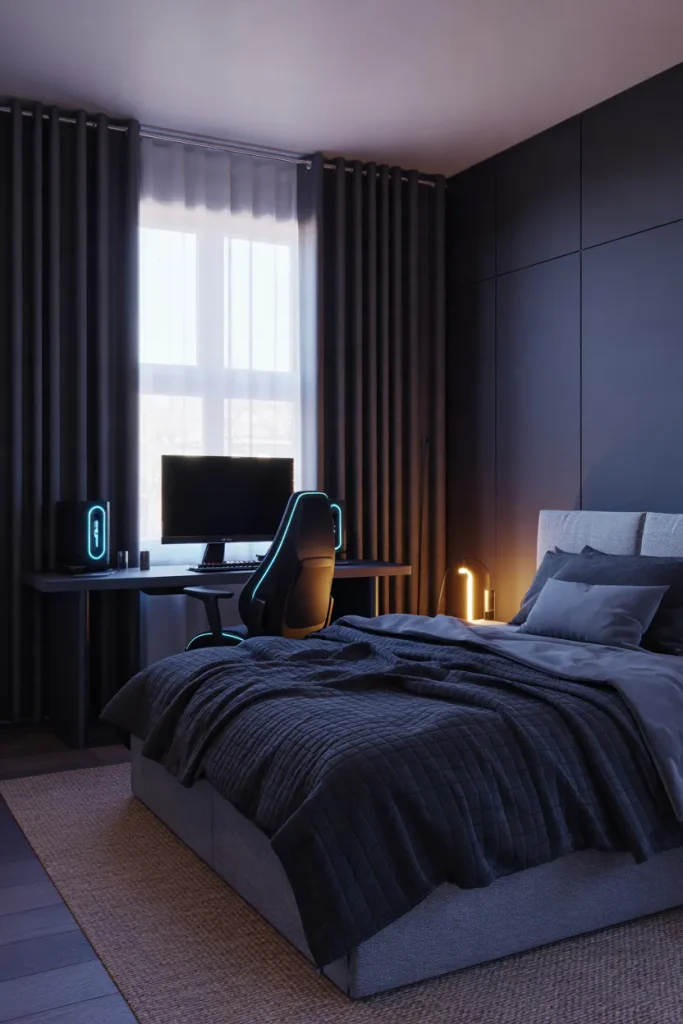
DO:
- Harsh sunlight can ruin screen visibility; install blackout curtains to control glare during daytime gaming.
- Choose charcoal, navy, or dark olive fabric to complement your gaming setup.
- Mount the curtain rod wider than the window frame to improve light coverage.
- Select curtains with a thermal lining if reducing heat gain is also important.
DON’T:
- Avoid curtains that drag across power strips or gaming equipment.
- Don’t cover air vents or position fabric against hot electronics.
- Skip overly heavy curtain designs that overwhelm narrow bedroom windows.
- Don’t keep the room completely dark during extended gaming sessions without comfortable ambient lighting.
Blackout curtains make daytime gaming more comfortable while helping create a darker environment for sleep. Pair them with a warm desk lamp or indirect LED lighting to reduce harsh contrast between the screen and surrounding room. Choose machine-washable fabric for easier maintenance, especially in bedrooms where dust collects quickly.
Acoustic Felt Panels
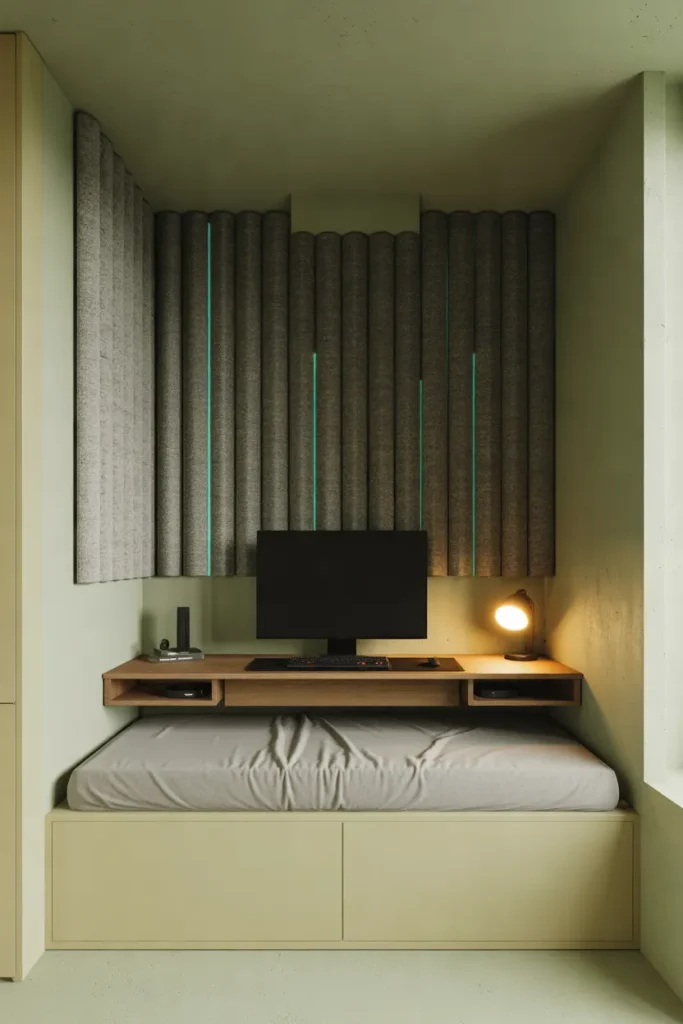
Best For: Does your voice sound hollow during gaming calls? Bedrooms with noticeable echo.
Cost: Low to moderate for a few felt or fabric-covered panels.
Skill Level: Beginner with suitable wall mounting hardware.
Result: Reduced sound reflections around the desk, not a completely soundproof room.
Place panels on the wall beside or behind your gaming desk, where nearby hard surfaces reflect sound. Keep them clear of vents and choose secure mounting methods approved for your wall. Add a rug or curtains for further echo control. Panels improve the room’s acoustics, not neighbor-to-neighbor noise isolation.
Sliding Keyboard Tray
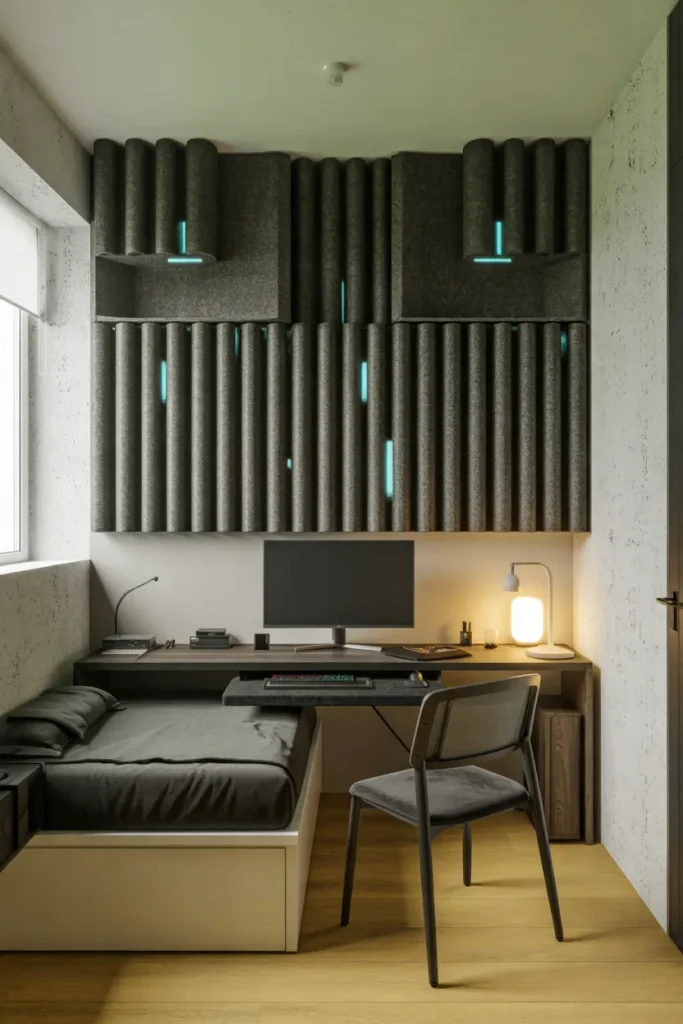
A shallow bedroom desk feels twice as useful when your keyboard has a place to disappear. Fit a sturdy sliding tray beneath the desktop, leaving the surface available for your monitor, notes, or a glass of water. Choose a wide, full-extension tray so your mouse has enough room during play.
For comfort, check that your elbows rest close to your sides when typing and that the tray does not hit your knees. Measure the clearance to the bed before installation, especially if your chair sits in a narrow aisle. Tuck the tray away after gaming to restore breathing room.
Bedside Charging Dock
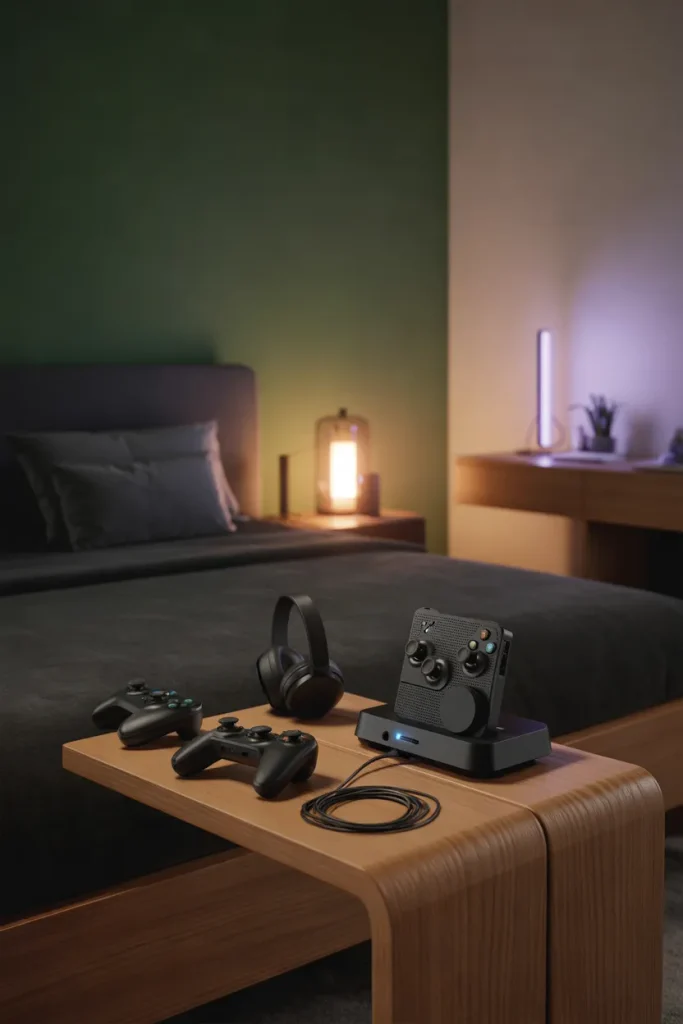
- Nothing spoils a tidy sleep zone faster than tangled charging cables. Pick a compact dock with ports for the devices you use most.
- Set the charging station on a stable nightstand, away from pillows, blankets, and water glasses.
- Secure the power cable along the back of the table with adhesive clips to prevent accidental tangling.
- Use a small divided tray for spare batteries, charging adapters, and unplugged gaming accessories.
- Keep the dock clear of fabric and check each device’s charging instructions for compatibility and ventilation.
A single charging spot keeps controllers and headphones ready without scattering cords across the bed. Choose a dock with compatible connectors and enough spacing for your devices. Place it on a stable bedside surface, never beneath blankets, and unplug damaged cables immediately. The room feels calmer when every accessory has a home.
Hidden Cable Management
Quick Tip:
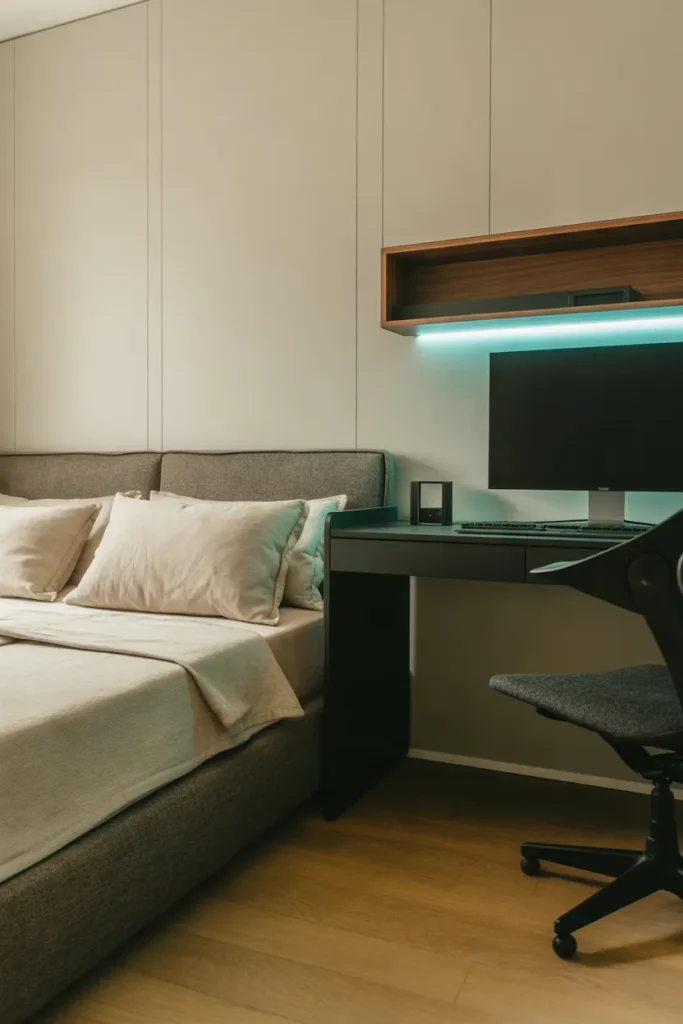
Messy cables can make even a polished gaming corner look crowded. Use adhesive cable clips beneath the desk and paintable cable channels along the wall to keep wires organized. Leave enough slack for monitor adjustments and avoid tightly bundling power cables.
Visible cords often collect behind a desk where dust and chair wheels catch them. Group cables neatly, leave gentle bends near plugs, and label each lead before covering it. Choose channels that open for future changes, and never tuck overloaded power strips into sealed storage boxes.
Desk Nightstand Combo

BEFORE:
Two separate furniture pieces can overwhelm a narrow bedroom. A bulky gaming desk crowds the bed while a traditional nightstand consumes another valuable section of floor space.
AFTER:
A slim desk beside the bed replaces the separate nightstand while providing a functional gaming surface. The combined arrangement leaves more floor space open and keeps nighttime essentials within easy reach.
Choose a desktop deep enough for your monitor and keyboard, but narrow enough to maintain a comfortable walkway. Position a small lamp near the bed and keep drinks away from electronics. A drawer or shallow organizer separates bedtime items from gaming accessories, making the shared surface easier to maintain.
Neon Gaming Wall Sign
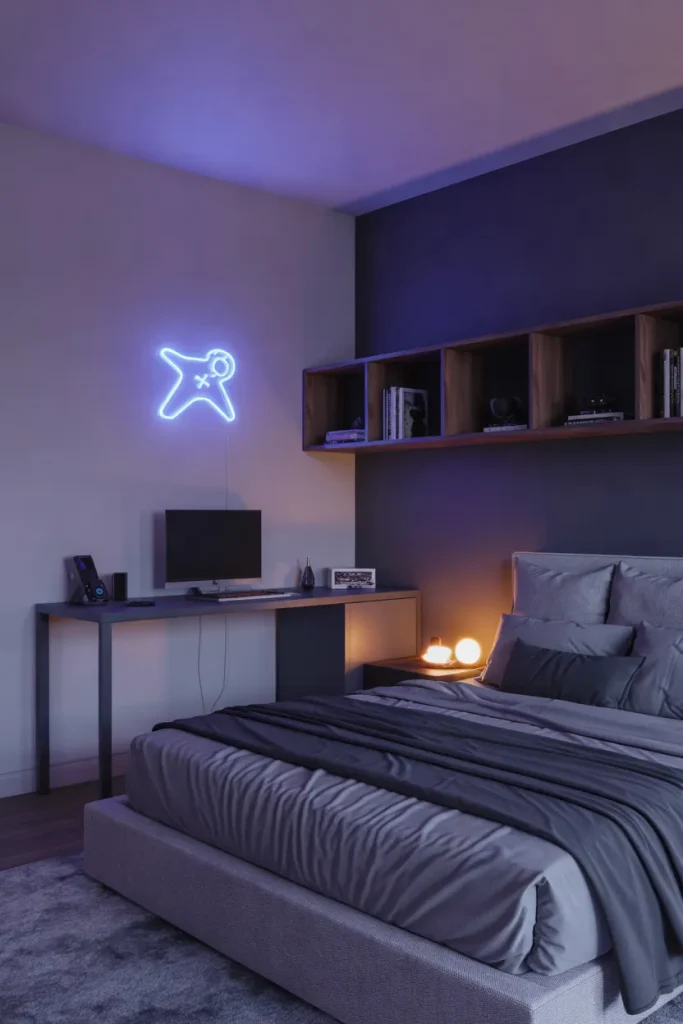
1. Choose a Simple Design: An illuminated wall accent can give a tiny gaming corner personality without taking up floor space. Select a compact LED neon-style sign with a clean symbol or geometric shape.
2. Find the Right Position: Mount the sign above your gaming desk where it remains visible without shining directly into your eyes. Keep it away from pillows and curtains.
3. Match Your Lighting: Choose a blue, purple, or warm white sign that complements your existing RGB setup. A dimmable model provides more control during evening sessions.
4. Conceal the Power Cable: Route the cord through an appropriate wall-mounted cable channel. Follow the manufacturer’s mounting instructions and keep electrical connections accessible.
A neon-style sign gives the gaming zone a recognizable focal point without requiring multiple decorations. Keep the surrounding wall mostly clear so the glowing design stands out. Turn it down during late-night gaming, and switch it off before sleeping if the light interferes with your rest.
White Gaming Setup
| Design Feature | White Gaming Setup | Dark Gaming Setup |
|---|---|---|
| Overall Look | Bright and airy | Moody and dramatic |
| Room Appearance | Feels visually lighter | Creates stronger contrast |
| LED Lighting | Soft pastel colors stand out | Vibrant RGB colors pop |
| Furniture Pairing | Cream, oak, and light gray | Black, walnut, and charcoal |
| Best For | Small bedrooms with limited daylight | Cozy rooms with controlled lighting |
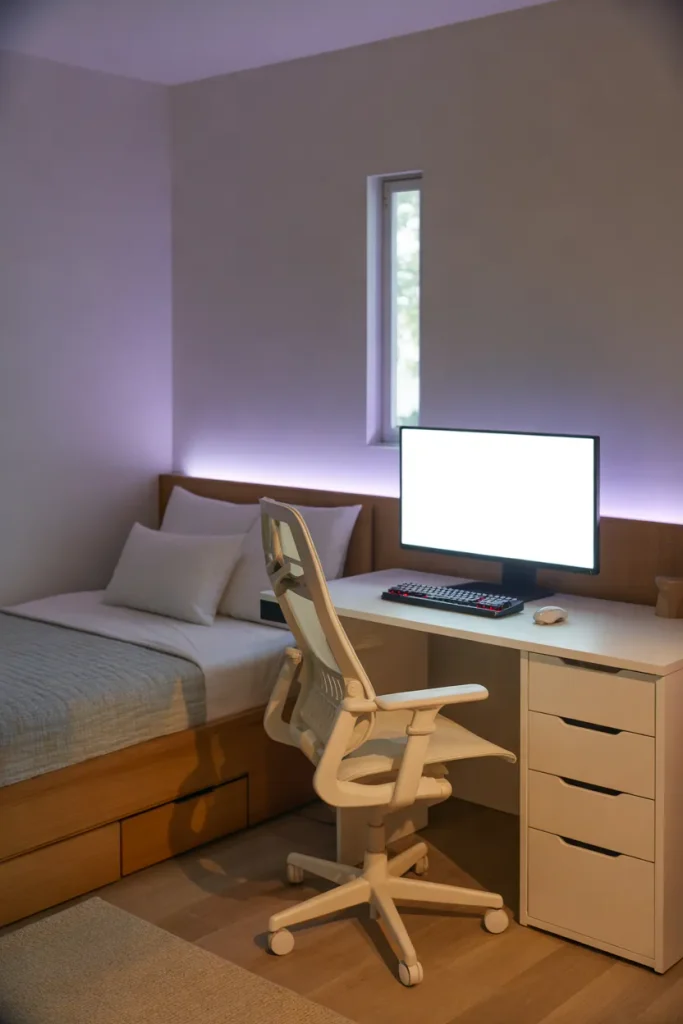
Bright furniture can make a tight bedroom feel less visually crowded, especially against cream or pale gray walls. Choose a narrow white desk, then repeat the finish in one shelf or monitor frame. Balance the pale surfaces with textured bedding and warm lighting so the setup does not feel sterile.
Conclusion
The best gaming bedroom is one that lets you play comfortably and rest just as well. These small gaming room ideas with bed arrangements show how smart furniture, wall storage, and controlled lighting can make a tight space work harder without looking crowded.
Start with the change that solves your biggest problem, whether that means freeing your desk, hiding cables, or creating space to move.
Measure first, then add the details that reflect your style. Save this post on Pinterest for your next room refresh, and share it with a friend planning a gaming corner.
Your ideal setup can begin with one small upgrade.